Give your guests a penif you like 5-star reviews.
It started with a paper card. Every review was 5 stars for 13 months straight.
Ghost HQ from $9/month + GhoSTR Checkout from $1 per Checkout
Sign in with Google or email · First 5 Checkouts free · No credit card required

Built by a host. For hosts.
Hi, I'm Doran.
145
guest cards
13 months
straight 5-star reviews
1
property
I've been hosting for more than 10 years, and GhoSTR came out of my own checkout-day chaos. I've also spent years helping hosts of every size run a better business with technology. I know what it feels like to wing it after every checkout.
GhoSTR is the tool I wish I'd had on day one. It's built for a tight operation: you and maybe a family member or two, keeping the whole thing running. Hosts like you.
Typical Reservations
GhoSTR handles the windows.You manage the stay.
GhoSTR
Welcome
WindowGhoSTR
Smart messages
Set & schedule once in Airbnb.
You
The stayYou
GhoSTR
Checkout
WindowGhoSTR
Personal messages
Written from your guest's pen and paper card.
How GhoSTR handles the Checkout Window.
Set. Snap. Deliver.
Set
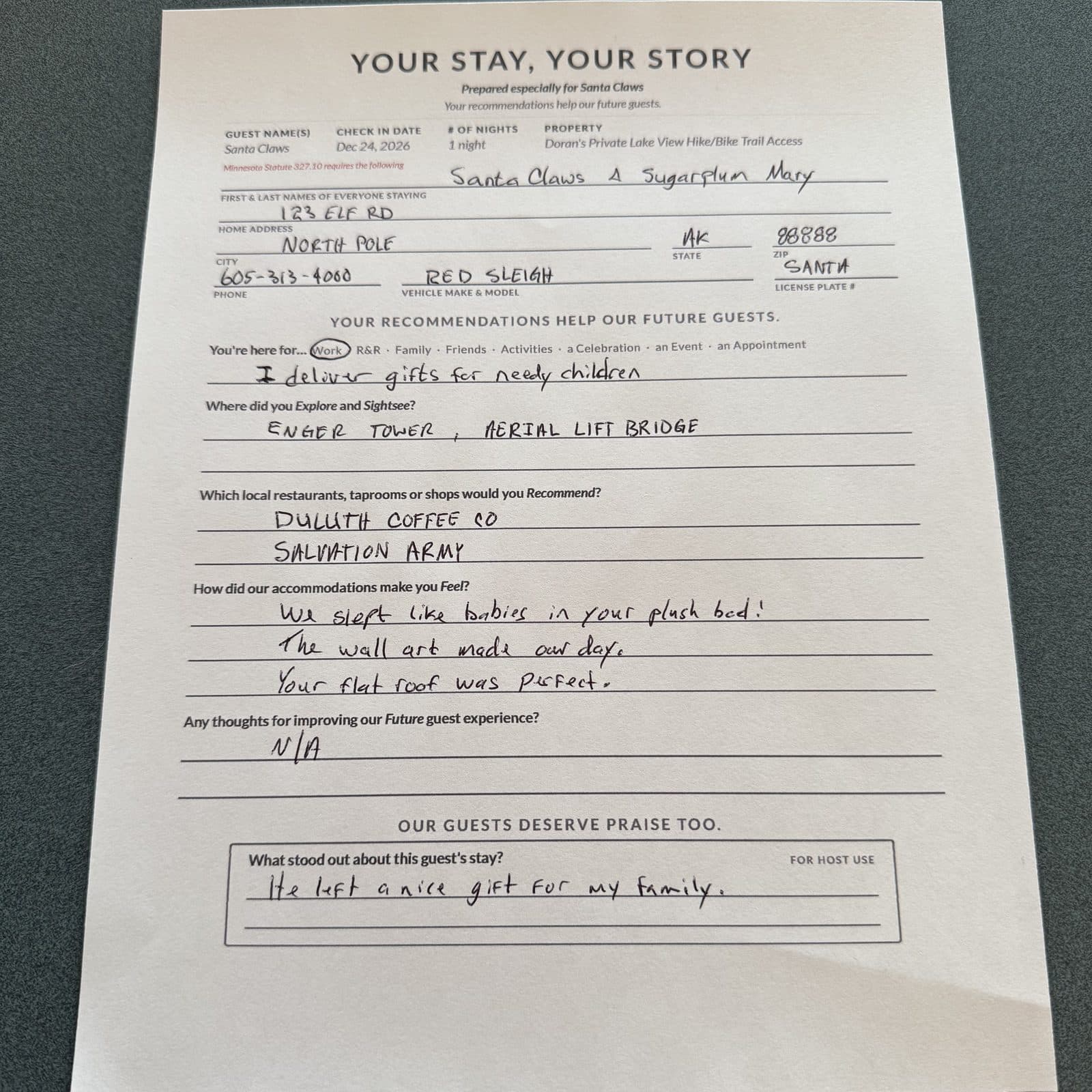
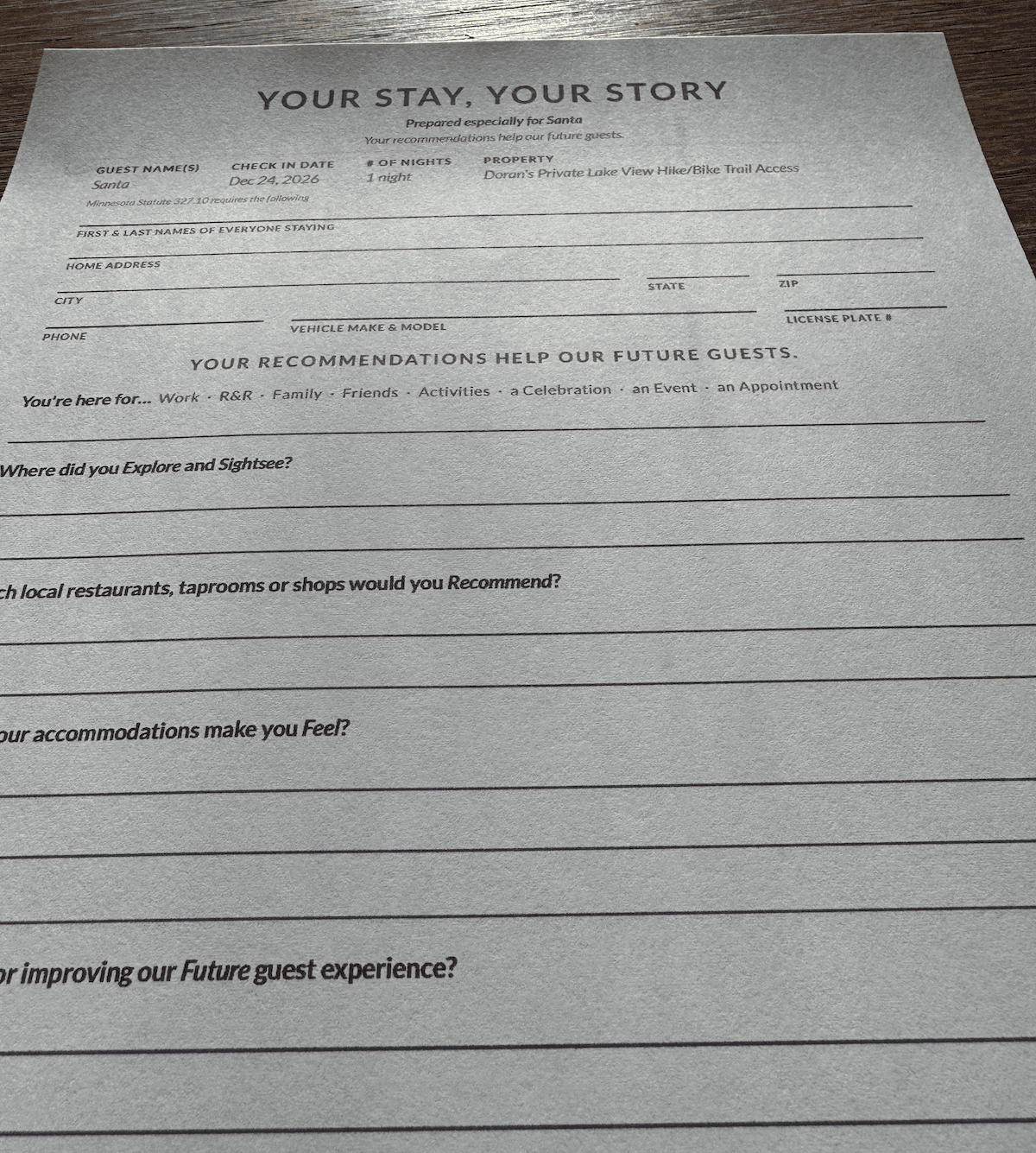
Set out a paper guest card before check-in.
Guests write down their highlights in their own words.
Snap
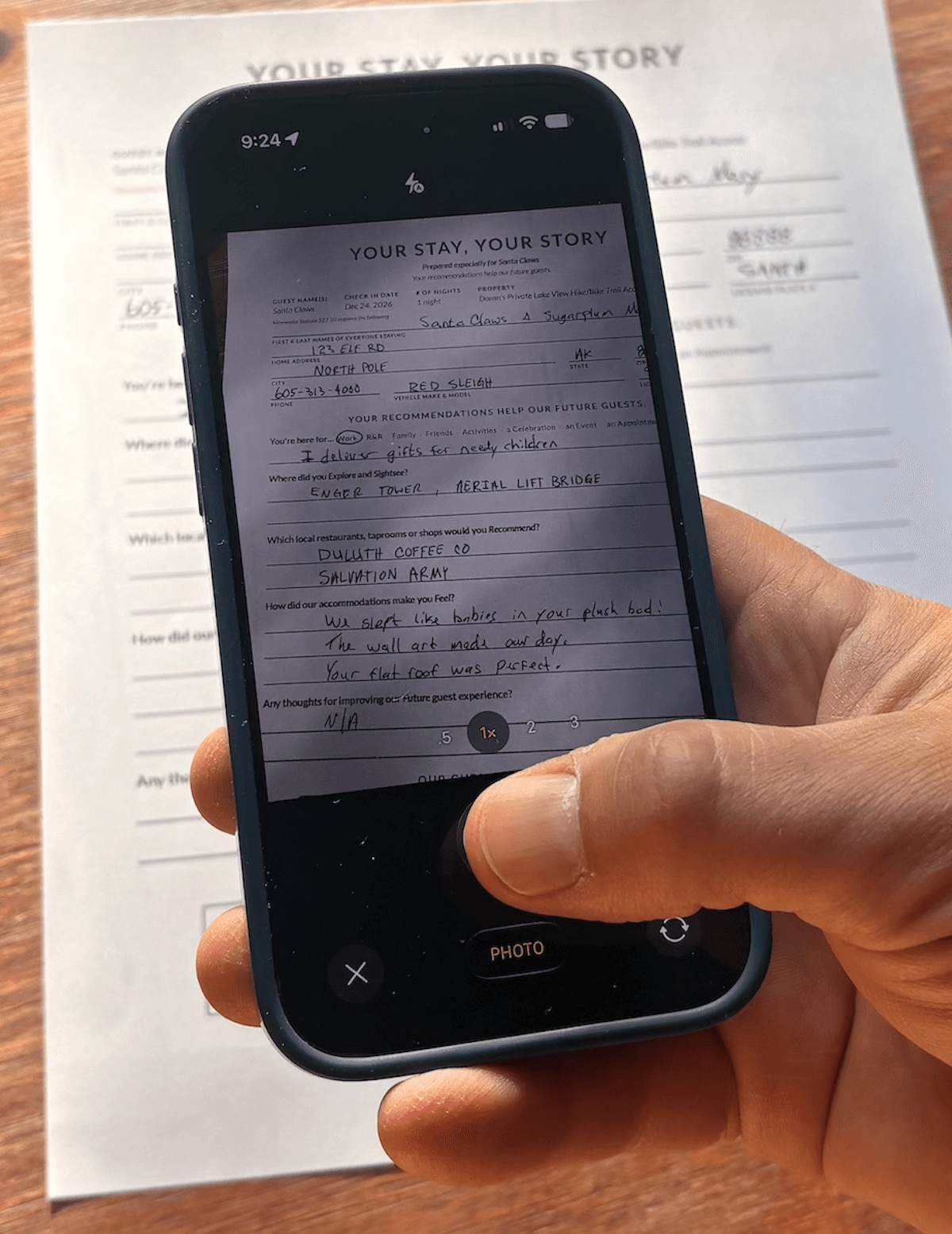
After checkout, snap a photo of the guest's card.
GhoSTR reads every word and gets to work.
Deliver
Deliver The GhoSTR Checkout. Four messages in your voice, in the order you send them. Each one has a job.
3a · Checkout day
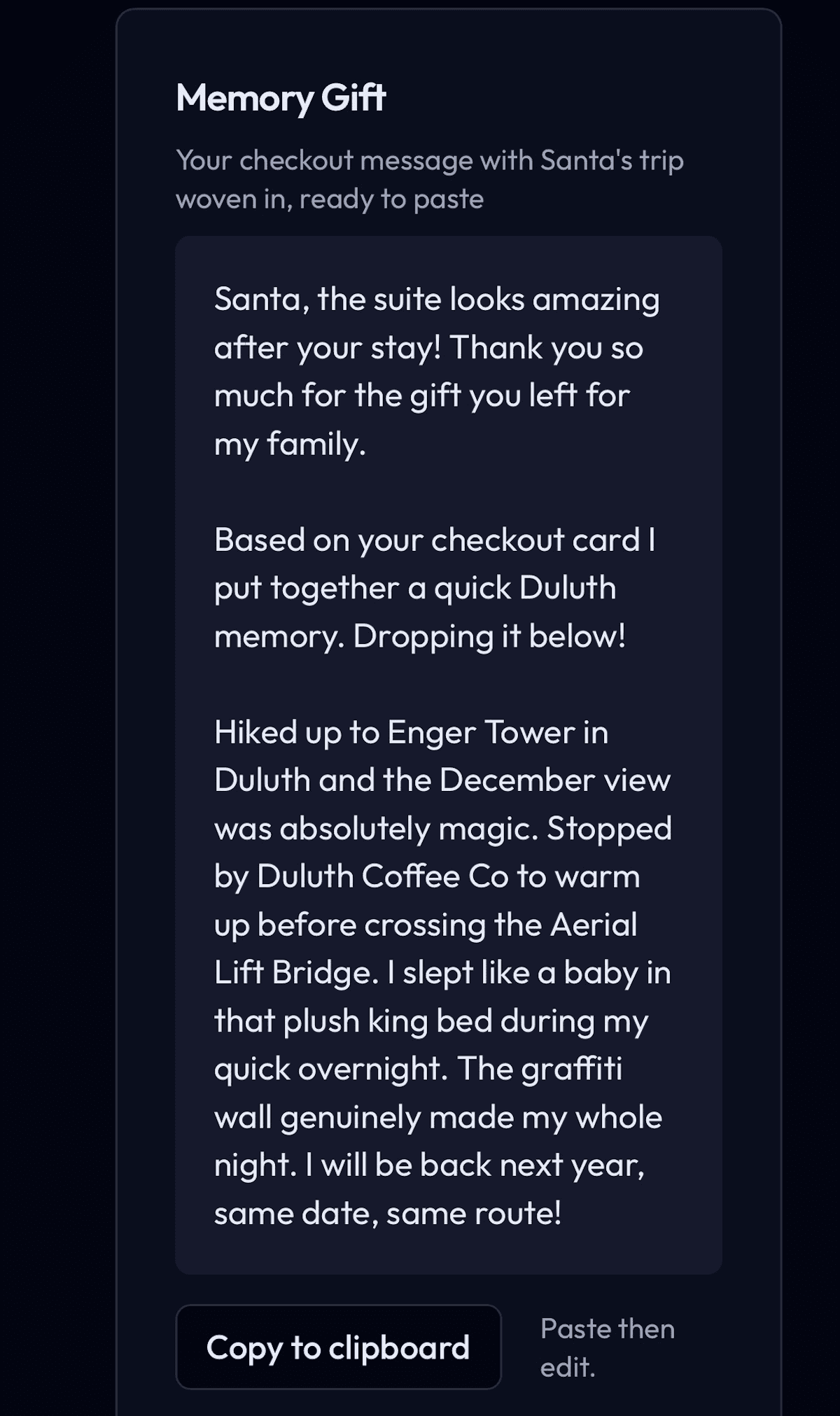
Memory Gift
Most hosts send a checkout reminder. You send a gift: their trip, in their words.
People remember who gave first.
3b · Right after
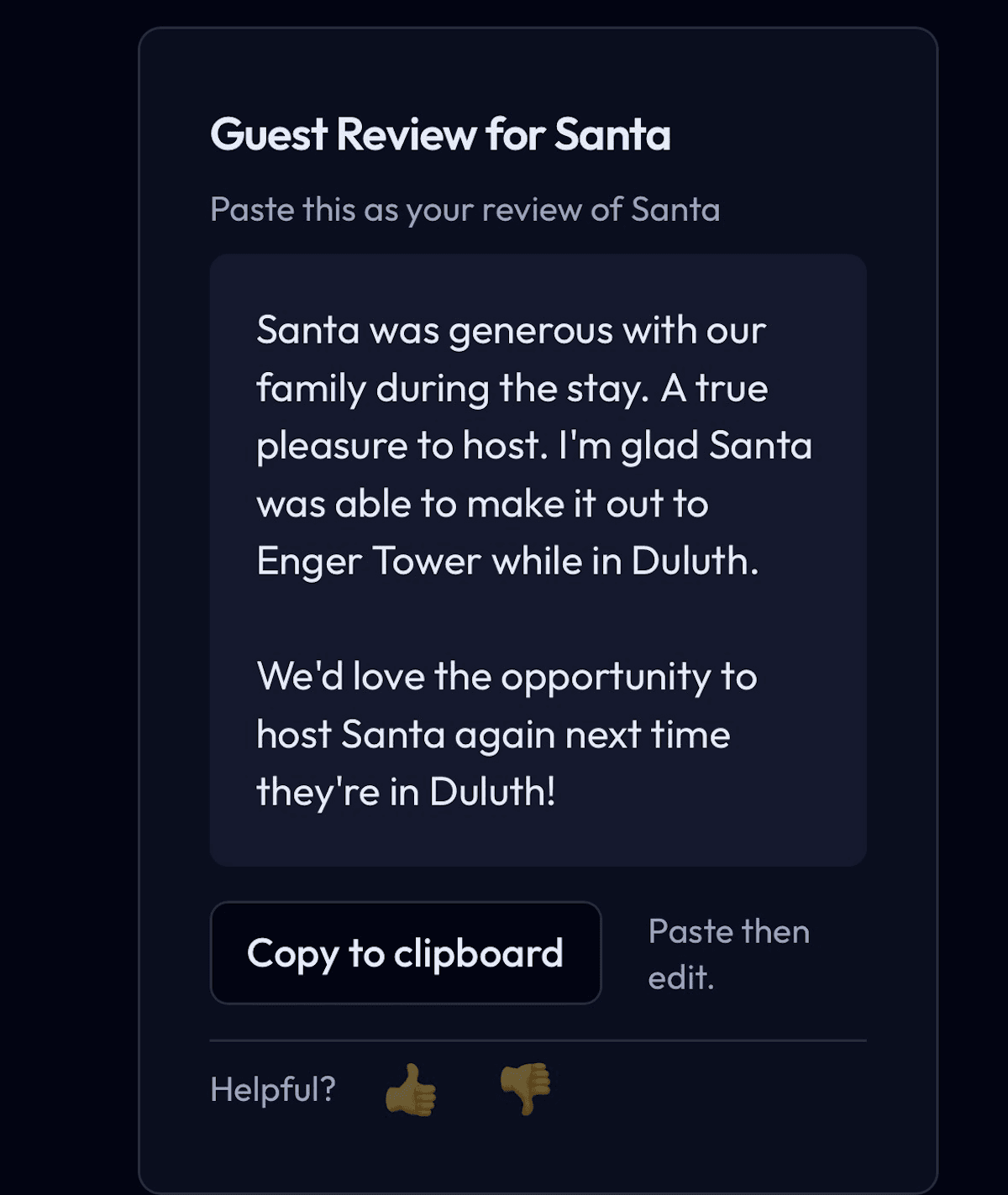
Guest Review
Specific, kind words about a guest invite kind words back.
And the moment you submit, Airbnb nudges them to return the favor.
3c · Same time as 3b
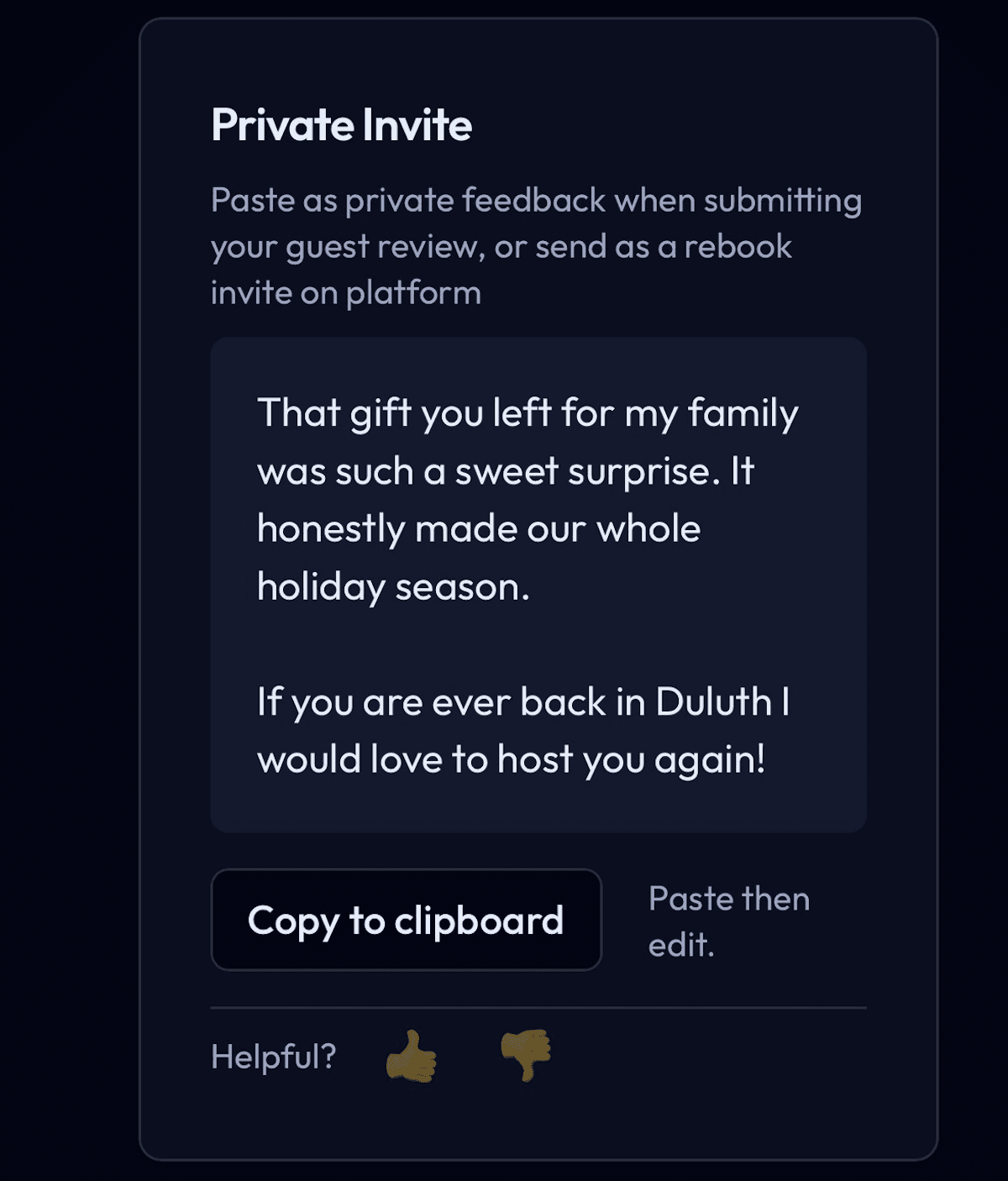
Private Invite
Public praise is for future guests. This one is just for them: a quiet invitation to come back.
3d · After their review posts
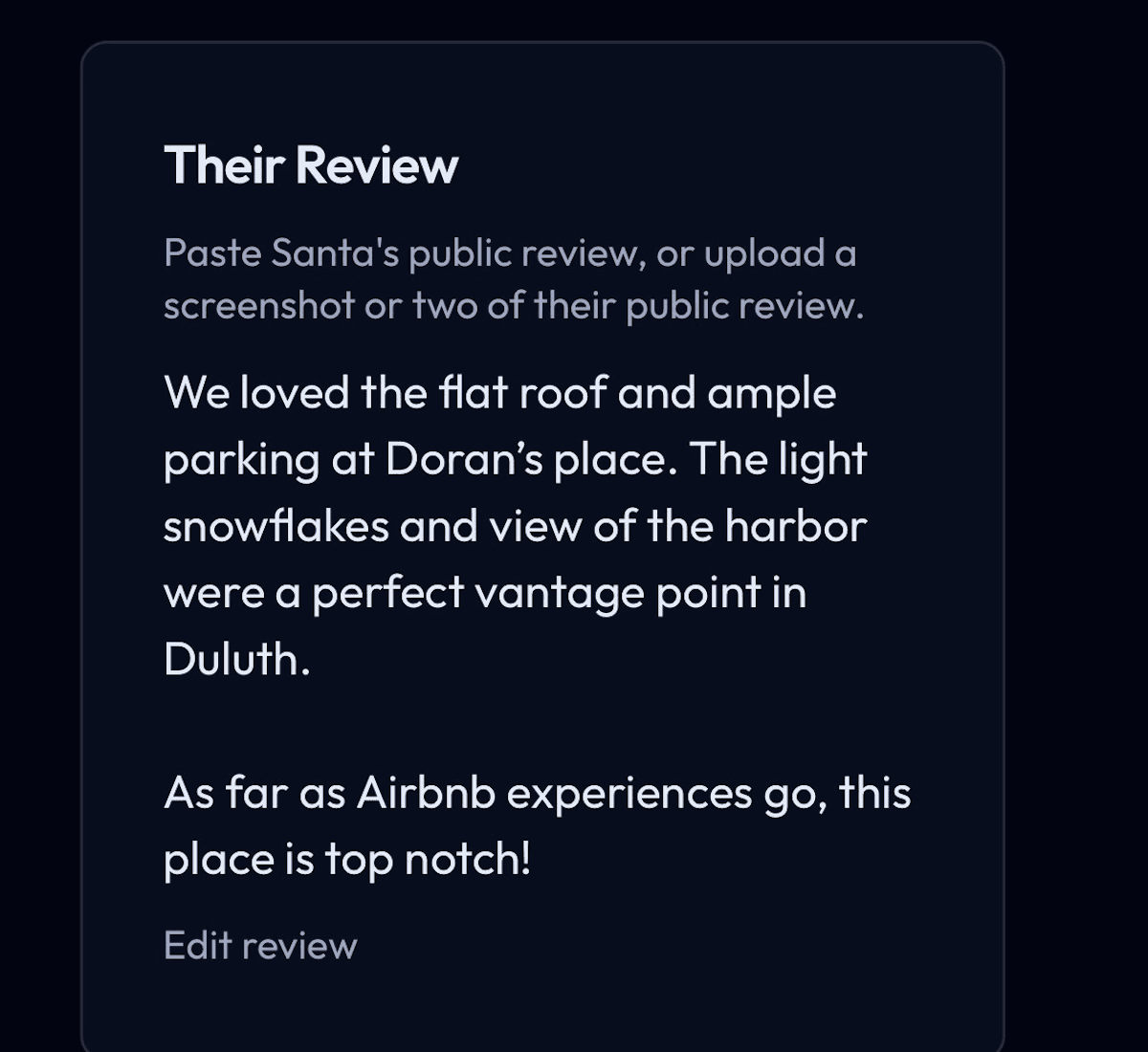
Their Review
Paste their review, and your reply answers what they actually said. Not a template.
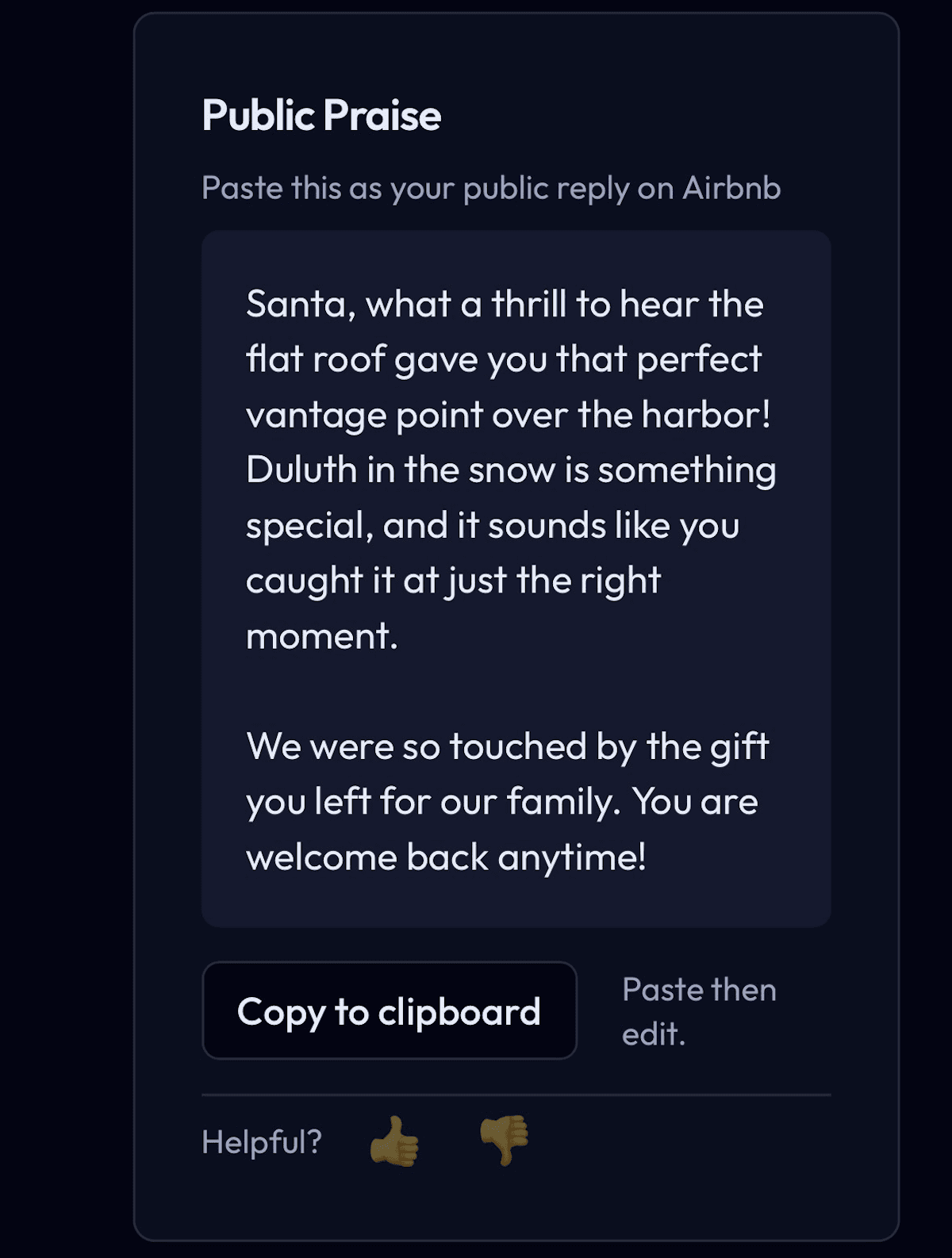
Public Praise
Every future guest reads this before they book.
A warm, specific thank-you shows a host who listens. Most hosts never write one.
Included with Ghost HQ
The days before arrival, and every card after.
Every stay opens with a Welcome Window.
Pre-stay messages you paste into Airbnb once. Airbnb sends them on your schedule: a warm confirmation at booking, the door code and wifi the morning they arrive, and a nudge toward your guest card before checkout.
Every card makes the next stay better.
Ghost HQ reads across every card at your property. See where guests love to go and what they keep asking you to fix. Fix it before the next guest notices.
Choose your voice.
Six voices, one for every hosting personality. Pick yours, swap any time, and every message still comes from your guest's own handwritten words.
Memory Gift
Sent to the guest after checkout
Santa, the suite looks great in here! Thank you for leaving a gift for my family. That really means a lot to us.
Based on your stay I put together a quick Duluth memory. Dropping it below.
Stopped by Enger Tower and watched the Aerial Lift Bridge do its thing. Both are such classic Duluth spots in December. I fueled up at Duluth Coffee Co and made a quick visit to the Salvation Army while I was at it. That king bed was something else. I slept so well, and the graffiti wall genuinely made my night. I'll be back on my next quick overnight through Duluth for sure.
Guest Review
Your Airbnb feedback for them · copy and paste
“Santa was so thoughtful, leaving a gift for our family before heading out. I'm glad he was able to make it out to Enger Tower while in Duluth. That hike is special this time of year. We'd love the opportunity to host Santa again next time he's in Duluth!”
You've put in the work (most of it).
You've done the hard part staging your listing and managing the guest's stay. GhoSTR covers the parts many hosts miss: the Welcome Window and Checkout Window.
Ghost HQ
$9/month
or $99/year
- Every stay's next step, tracked
- The Welcome Window
- Card Insights across every card
- Printable guest cards
- Free seats for co-hosts and cleaners
The GhoSTR Checkout
$1.25/Checkout
or $1 with annual
- Four messages from one photo
- Written in your voice
- No card, no charge
Sign in with Google or email · First 5 Checkouts free · No credit card required
Common questions
Everything hosts ask before their first checkout.
What messages does GhoSTR produce?+
Every completed guest card yields four messages: a checkout note with your guest's trip memory woven in (Memory Gift), your Airbnb guest write-up ready to use (Guest Review), a Private Invite for the Airbnb Private Feedback field, and a Public Praise response for when their review posts.
What is the Welcome Window?+
A set of pre-stay messages included with Ghost HQ. You set them up once in Airbnb's scheduled messages and Airbnb sends them on your timing: a booking confirmation, your check-in details, and a checkout reminder. It sets the stage; the Checkout Window wins the 5 star. As always, GhoSTR never messages your guests for you.
What is a guest card and how do I get one?+
A guest card is a small paper form you set out before check-in. Guests fill it in during their stay: favorite spots, restaurants, how the space felt. After checkout you snap a photo and GhoSTR reads every word. Print blank cards directly from your dashboard.
What's the host box on the card?+
The full-size card has one box just for you: "What stood out about this guest's stay?" Add a line at turnover, before you snap the photo. It's the one thing only you know, so your messages can thank them for something real. Leave it blank and GhoSTR won't invent praise.
Is GhoSTR a bot that messages my guests automatically?+
No. GhoSTR never contacts your guests. It writes messages for you to send. Copy, paste, done. There are no automated messages, no AI chatting on your behalf, no surprise outreach. Every word that reaches a guest comes from you.
What if the guest writes something negative?+
Not every card is glowing. If a guest writes something negative, you get a private heads-up with their exact words while there's still time to make it right. No messages get drafted, and you aren't charged.
Does GhoSTR connect to my Airbnb account?+
No. GhoSTR syncs your calendar using a read-only iCal URL, the same link you'd share with any calendar app. We never access your Airbnb login, your inbox, or your host tools. Your account credentials stay with you.
What do you do with my guests' information?+
Guest data lives in your account and is never shared or sold. GhoSTR keeps a photo of each guest card, plus the guest's name and phone number, visible only to you and any collaborators you invite. All of it is deleted automatically after 13 months. If your property uses registration mode (required in some places, such as Minnesota Statute 327.10), the paper card is your official guest register; GhoSTR doesn't copy the address or vehicle details out of it. GhoSTR never contacts your guests.
Can I add my cleaner or co-host?+
Yes. On Ghost HQ you invite teammates and give each one access to only the properties they handle. Your cleaner can capture guest cards on turnover day without touching the rest of your business. You stay in control and can remove anyone anytime.
How does GhoSTR pricing work?+
Every host gets Ghost HQ (the web app) plus The GhoSTR Checkout, billed only when you generate a guest's four messages. Pick a term: monthly is $9/month plus $1.25 per Checkout, or annual is $99/year plus $1.00 per Checkout. Checkouts are tallied and billed at the end of each month based on how many you ran. Your first 5 are free.
What do I need to get started?+
Your Airbnb listing URL and your Airbnb calendar URL. To find the calendar URL, go to airbnb.com/hosting/reservations, click Export, then Sync your reservations, and select your listing to reveal the URL. Paste both into GhoSTR and your upcoming reservations sync automatically.
What if a guest doesn't fill out a card?+
No card, no charge. You only pay when you submit a completed guest card and generate messages. Reservations without cards sit in your dashboard until checkout.
Does it work with VRBO or direct bookings?+
The guest card and message pipeline work for any stay regardless of platform. Calendar sync is Airbnb-only today. VRBO support is in the works. For direct bookings or VRBO stays, you can add reservations manually.
Can I use more than one voice style?+
Yes. Each property has its own voice setting: Warm & Personal, Witty & Playful, Professional, Stoic, Adventurous, or Poetic. You can also switch voices at any time and regenerate with a single click.